
How to turn recipes into one combined, aisle-sorted grocery list
Four dinners, four ingredient lists, two onions in one and three in another. Here's how to merge them into one list you can shop in a single lap of the supermarket.
To make one grocery list from several recipes, write every ingredient down, add up the amounts of anything that repeats, cross off what you already have, then group what's left by aisle. Cookt on iPhone does all of that for you: plan the dinners and it builds the combined, aisle-sorted list.
Get Cookt free on the App Store
Doing it by hand
It takes ten minutes with a pen, and it's worth doing at least once so you can see where the time goes.
- Pick the recipes for the week and lay them side by side.
- Write every ingredient on one sheet, with its amount and which recipe it's for.
- Merge the repeats: two onions plus three onions is five onions, 200 g of spinach plus 100 g is 300 g.
- Check the fridge and cupboards and cross off anything you already have.
- Rewrite what's left in aisle order: fruit and veg, meat and fish, dairy, bakery, tins and dry goods, frozen.
Where the handwritten list goes wrong
Most mistakes happen at the merge. Units don't match (a tin of tomatoes in one recipe, 400 g in another), a repeat gets missed and you buy garlic twice, or a recipe gets swapped on Wednesday and the list is now out of date.
A notes app helps with the rewriting but not with the maths. That's the part worth handing to an app.
Let Cookt build the list
Cookt is a free recipe app for iPhone and Apple Watch. The shopping list comes straight from your meal plan, so there's nothing to copy across.
- Save the recipes you want to cook, from TikTok, Instagram, YouTube, a website or your own typing.
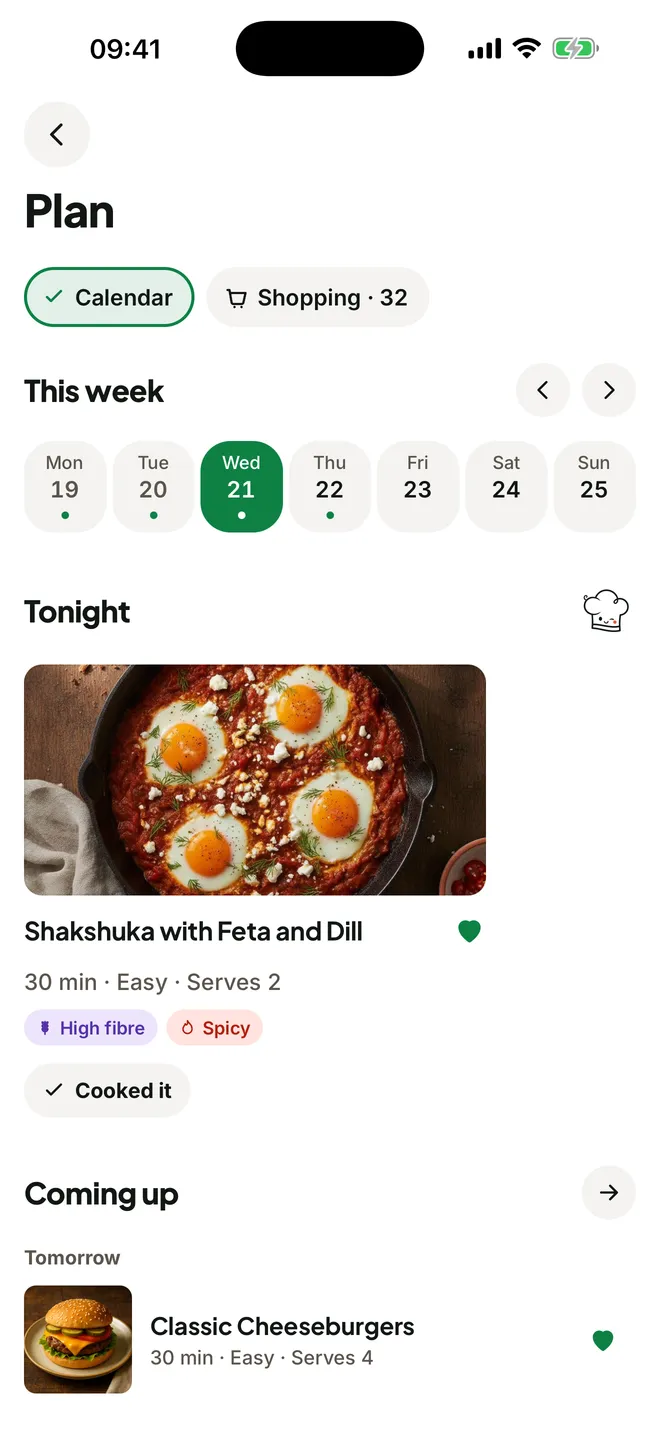
- Drop each one onto the night you'll cook it in the meal plan.
- Open the shopping list. Cookt has combined the amounts across every recipe and grouped them by aisle.
- Each line says which dinner it's for, so if you skip a meal you know exactly what you can leave on the shelf.
- Tick things off as you shop.
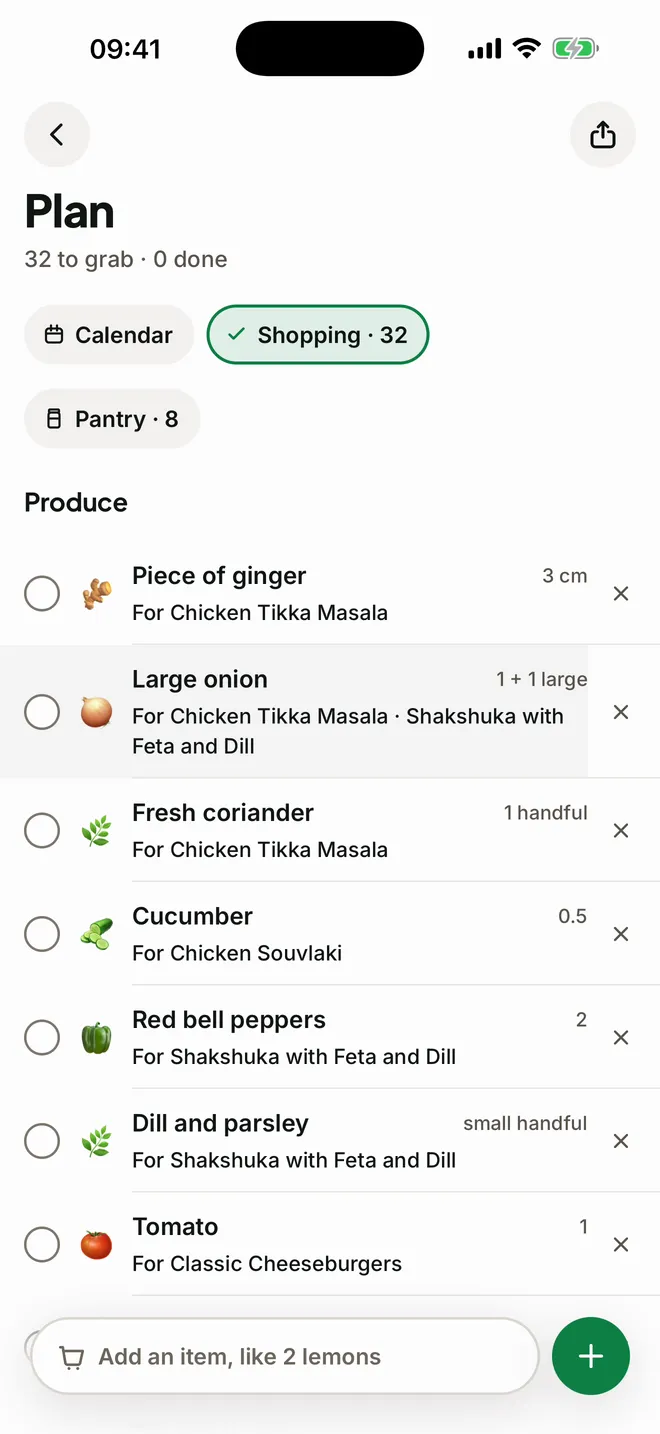
Skip what's already in the cupboard
Anything in your Cookt pantry is left off the list. You can fill the pantry by snapping a photo of your shelves, so the list skips the rice and spices you already own.
Cooking for more or fewer people? Change the servings on any recipe and every quantity scales with it.
Take the list with you
The list is on your iPhone, in a Home Screen widget where you can tick things off without opening the app, and on Apple Watch, so it stays close while your hands are full of bags.
Questions
Is there a recipe app that makes a grocery list?
Yes. Cookt builds your shopping list from the recipes in your meal plan, with amounts combined and grouped by aisle. It's free on iPhone.
How do I convert a recipe into a grocery list?
By hand, copy its ingredients onto your list and cross off what you have. In Cookt, add the recipe to your meal plan and its ingredients go onto the list for you.
How do I make a meal prep grocery list?
Choose the recipes you'll batch cook, merge the repeated ingredients and sort them by aisle. Planning them in Cookt does the merging and sorting for you.
Is there a grocery list app for iPhone and Apple Watch?
Cookt keeps your shopping list on iPhone, in a widget and on Apple Watch. It's free to download.