
How to save recipes from Instagram Reels and captions
Instagram is full of good dinners hidden in Reels and long captions. Here's how to keep them, both the free way inside Instagram and the quicker way with an app.
To save a recipe on Instagram, tap the bookmark on the post or Reel to add it to Saved, and sort it into a collection. To keep the recipe itself on iPhone, tap Share, then Share to, then Cookt: the Reel or caption is saved as ingredients and steps in your cookbook.
Get Cookt free on the App Store
Saving inside Instagram
Instagram's own Saved folder is the quickest place to start, and it's free.
- Tap the bookmark icon under the post or Reel.
- To file it, tap Save to collection when it pops up and pick or make a collection, such as Weeknight dinners.
- Find everything later from your profile: open the menu and go to Saved.
Copying a recipe from an Instagram caption
Many creators put the full recipe in the caption. Keeping a copy means you still have it if the post disappears.
Tap more to open the full caption, then press and hold the text to copy it, and paste it into the Notes app with the post link at the top. If the caption won't copy, a screenshot works too, though you'll be typing it out when you cook.
Why Saved isn't quite a cookbook
Saved keeps posts, not recipes. The amounts stay buried in a caption or a video, you can't scale a recipe for six, and nothing turns into a shopping list. With a few saves that's fine. With a few hundred, the good ones get lost.
Save an Instagram recipe to Cookt
Cookt is a free recipe app for iPhone and Apple Watch. Instagram puts the iPhone share sheet one step deeper than most apps, so there's one extra tap.
- Get Cookt from the App Store and sign in.
- On the Reel or post, tap the Share icon (the paper plane).
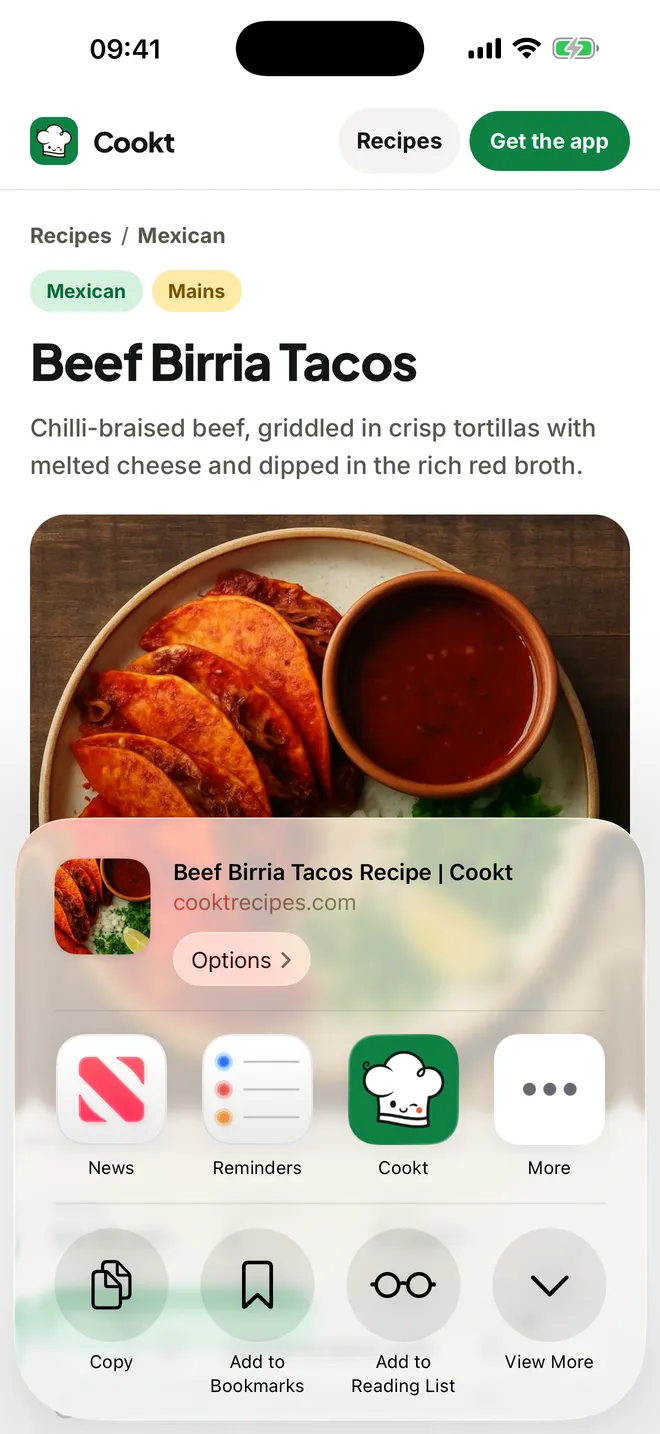
- Tap Share to. This opens the iPhone share sheet.
- Tap Cookt.
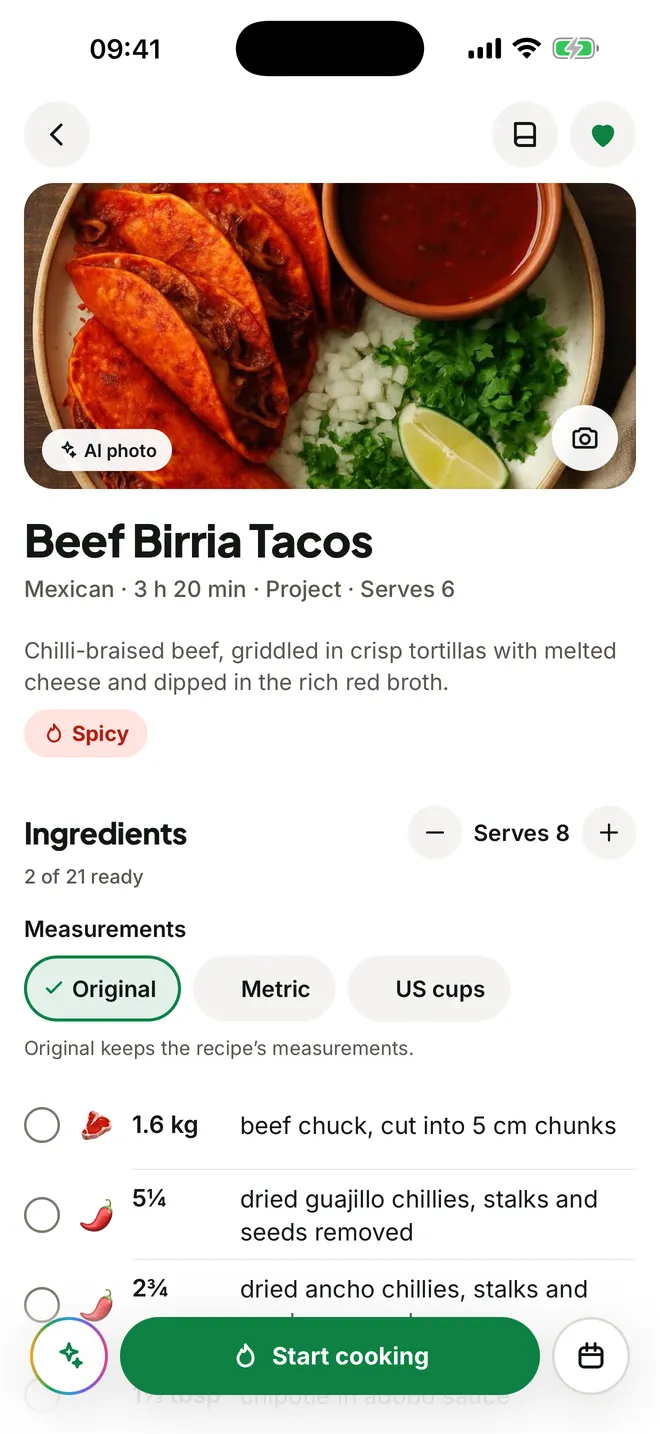
- A moment later the recipe is in your cookbook as ingredients with amounts, then clear steps.
What you get once it's saved
Each recipe opens as a proper recipe with the story left behind. Change the servings and every amount scales. Drop it onto a night in your meal plan and its ingredients go on your shopping list, combined with the rest of the week and grouped by aisle.
Cookt also saves from TikTok, YouTube and recipe websites, and you can paste a link, scan a cookbook page or type a family recipe in, so your Instagram finds sit alongside everything else.
Questions
How do I save recipes from Instagram on iPhone?
Tap the bookmark to add the post to Saved. To keep the recipe as ingredients and steps, tap Share, then Share to, then Cookt.
How do I save recipes from Instagram Reels?
The same way as a post: bookmark it to keep the Reel in Saved, or share it to Cookt to keep the recipe itself in your cookbook.
How do I save Instagram recipes to Notes?
Open the full caption, press and hold to copy it, and paste it into a new note with the post link. If the recipe is only in the video, you'll need to type it out.
Can I save recipes from Instagram for free?
Yes. Instagram's Saved folder is free, and Cookt is free to download with some recipe saves each week included.