
How to save recipes from TikTok (and actually find them again)
Saving a TikTok recipe is easy. Finding it again three weeks later, with the amounts, is the hard part. Here are the honest options, from free and fiddly to two taps.
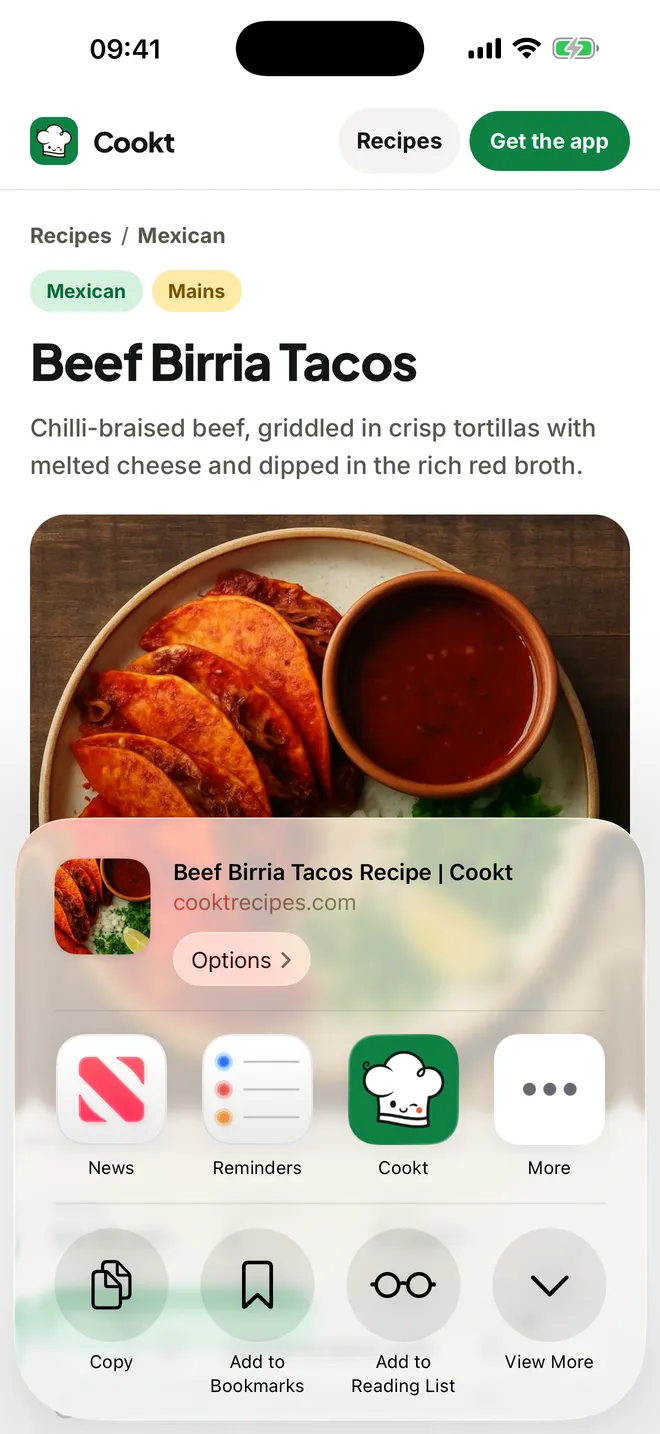
To save a recipe from TikTok, tap the bookmark to add it to your Favourites, or put it in a named collection. To keep the recipe itself, on iPhone tap Share, then Cookt: the video becomes a recipe in your cookbook with ingredients and steps, so you can search for it and cook from it later.
Get Cookt free on the App Store
Why TikTok recipes get lost
A recipe video is made to be watched once. The amounts flash up for a second, the method is spoken over the top, and the full list is sometimes in the caption, sometimes in a comment and sometimes nowhere.
So the usual pattern goes: you save it, you forget it, and when you finally want to cook it you're scrolling back through hundreds of saved videos with a pan already on the hob. The fix is to save the recipe, not just the video.
The free ways, inside TikTok and on your phone
These cost nothing and work fine for a handful of recipes. They get harder to live with as the pile grows.
- Favourites: tap the bookmark icon on the video. It goes into Favourites on your profile, under the bookmark tab.
- Collections: inside Favourites, make a collection called something like Dinners or Baking and move recipes into it, so they aren't mixed in with everything else you've saved.
- Screenshots: pause on the frame with the ingredients and take a screenshot. Pop them in an album in Photos so they don't drown in your camera roll.
- Notes: copy the caption (or type the ingredients from the video) into the Notes app, and paste the link at the top so you can rewatch the method.
Where the manual ways fall short
Favourites keep the video, not the recipe, so you still have to rewatch and pause to read the amounts. If a video is taken down or made private, the recipe goes with it.
Screenshots and notes keep the words, but you're doing the typing, nothing scales when you cook for more people, and none of it turns into a shopping list. That's the gap a recipe app fills.
Save a TikTok recipe to Cookt in two taps
Cookt is a free recipe app for iPhone and Apple Watch. It sits in the iPhone share sheet, so you save from TikTok the same way you'd send the video to a friend.
- Get Cookt from the App Store and sign in with Apple, Google or your phone number.
- In TikTok, open the recipe video and tap Share.
- Tap Cookt. If it isn't in the row, look for More at the end, which opens the full iPhone share sheet where Cookt lives.
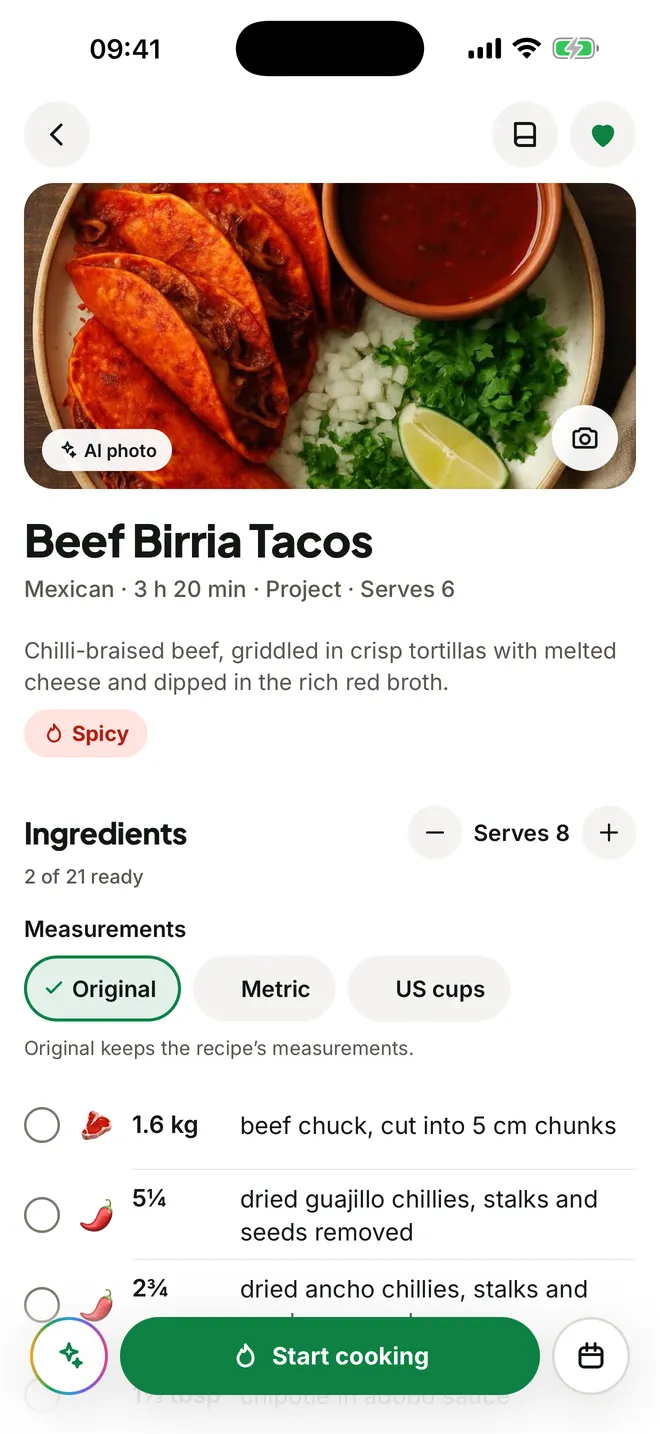
- A moment later the recipe is in your cookbook as ingredients with amounts, then clear steps.
- Open it to change the servings, plan it into your week or start cooking.
Finding it again, and cooking it
Saved recipes live in your cookbook with the long story left behind, and you can sort them into books, so your TikTok finds sit next to your website favourites and family recipes. Change the servings and every quantity scales with it.
When it's time to cook, cook mode puts one step on screen in big type, with the timer right in the step that needs it. Your screen stays awake while your hands are busy.
If a TikTok recipe won't import
Copy the video link again and paste it into Cookt fresh, since a share sheet sometimes passes a shortened link. Check that the video is public and opens in your browser. If a link keeps failing, the Cookt support page has an email address, and a real person will take a look.
Questions
How do I save TikTok recipes on iPhone?
Tap the bookmark on the video to add it to your TikTok Favourites. To keep the actual recipe, tap Share and choose Cookt, and it's saved to your cookbook as ingredients and steps.
How do I save TikTok recipes for later without an app?
Use TikTok Favourites and collections to keep the videos, and take a screenshot of the ingredients or copy the caption into Notes. It's free, but you'll do the typing yourself.
Can I save recipes from TikTok and Instagram in one place?
Yes. Cookt saves from any app with a Share button, including TikTok and Instagram, plus recipe websites, so everything ends up in one cookbook.
Is there a free recipe app for TikTok?
Cookt is free to download on iPhone, and the free plan includes some recipe saves each week. Cookt Pro gives you more.
Is Cookt on Android?
Not yet. Android is coming soon, and Cookt is on iPhone and Apple Watch today.